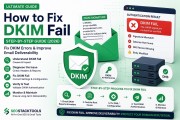
tl;dr: DKIM (DomainKeys Identified Mail) adds a cryptographic digital signature to your outgoing emails. This signature proves that the email genuinely came from your domain and hasn't been altered in transit. Along with SPF and DMARC, DKIM is a cornerstone of modern email authentication.
⚡ Quick DKIM Check
Generate a new DKIM key pair instantly with our DKIM Record Generator. Keys are created locally in your browser—nothing is sent to our server.
What Exactly is DKIM?
DKIM (DomainKeys Identified Mail) is an email authentication standard that allows an organization to take responsibility for a message in a way that can be verified by the recipient. It works by adding a digital signature to the email header. This signature is created using a private key that only your organization possesses.
When a receiving mail server gets an email with a DKIM signature, it performs a DNS lookup to find the corresponding public key published in your domain's DNS. It then uses that public key to verify the signature. If the signature is valid, the receiving server knows two things with high confidence:
- The email was sent by an authorized entity (someone who has access to your private key).
- The email content hasn't been modified since it was signed.
Think of DKIM like a tamper-evident seal on a physical envelope. If the seal is intact and matches the sender's official stamp, the recipient can trust the contents haven't been tampered with and that it genuinely came from the claimed sender.
Why is DKIM Critical for Your Business?
DKIM is not just a "nice-to-have" feature—it's a fundamental requirement for email deliverability in 2026. Here's why:
- Verifies Authenticity: DKIM cryptographically proves that the email came from your domain, not from an impersonator. This is crucial for protecting your brand reputation.
- Ensures Message Integrity: It guarantees that the email content (including the body and key headers) was not modified during transit. This prevents man-in-the-middle attacks and other tampering.
- Essential for DMARC: DMARC (Domain-based Message Authentication, Reporting & Conformance) requires either SPF or DKIM to pass in alignment with the "From" domain. DKIM is often easier to align, making it a critical component of DMARC enforcement.
- Improves Deliverability: Spam filters treat DKIM signatures as a strong positive signal. Emails with valid DKIM signatures are more likely to land in the inbox, while those without are more likely to be flagged as suspicious.
- Survives Email Forwarding: Unlike SPF, which breaks when an email is forwarded, DKIM signatures travel with the message. This means even forwarded messages can maintain their authentication status.
How Does DKIM Work? (A Step-by-Step Look)
DKIM involves a cryptographic key pair and a few moving parts. Here's the complete flow:
- Key Pair Generation: You generate a pair of cryptographic keys: a private key (kept secret) and a public key (published in DNS). Our DKIM Record Generator does this locally in your browser using the Web Crypto API.
- Public Key Publication: The public key is published as a DNS TXT record at a specific address:
._domainkey. - Email Signing: When your mail server or Email Service Provider (ESP) sends an email, it uses your private key to create a digital signature for that specific message. The signature is added to the email header as a
DKIM-Signaturefield. - Verification by Receiver: The receiving server sees the DKIM signature in the header. It extracts the selector and domain from the signature and performs a DNS lookup for the public key at
._domainkey. - Signature Validation: The server uses the retrieved public key to check the signature. If it's valid, the DKIM check passes. If not, the check fails.
💡 DKIM vs. SPF Quick Comparison:
- SPF checks the server/IP that sent the email.
- DKIM checks the message content using a digital signature.
- Both are needed for robust authentication. DKIM survives forwarding; SPF does not.
Understanding the DKIM Selector
One of the most confusing aspects of DKIM is the selector. Here's what it is and why it matters:
- What it is: A selector is a text string (e.g.,
default,google,s1,oct2026) that identifies which DKIM key is being used. - Why it exists: Selectors allow you to host multiple DKIM keys for the same domain. This is incredibly useful because:
- You can have different keys for different sending services (e.g., one for Google Workspace, one for SendGrid).
- You can rotate keys periodically without breaking existing emails that used the old key.
- You can test a new key while keeping the old one active.
- How it's used: The selector becomes part of the DNS record name:
._domainkey.
Example: If your selector is "default" and your domain is "example.com," the DKIM record will be at default._domainkey.example.com.
Key Size: 1024 vs. 2048 vs. 4096
When generating a DKIM key pair, you must choose a key size. Here's what you need to know:
- 1024-bit: The older standard. It's faster and produces shorter DNS records, but it's now considered weak. Avoid for new setups.
- 2048-bit: The current standard. It offers strong security with good compatibility. Most DNS providers and ESPs support it without issues. Use 2048-bit for all new setups.
- 4096-bit: Stronger security but produces a very long DNS TXT record (often exceeding 255 characters). Some DNS providers have trouble handling this, and some mail servers may not support it. Only use if you've confirmed your infrastructure can handle it.
Our DKIM Record Generator defaults to 2048-bit, which is the recommended choice for most users.
Setting Up DKIM for Your Domain (Step-by-Step)
Setting up DKIM involves generating keys, publishing the public key, and configuring your ESP. Here's the exact workflow:
- Generate the Key Pair: Use our DKIM Record Generator to create a new key pair. Choose a selector (e.g.,
default) and select 2048-bit key size. - Copy the Private Key IMMEDIATELY: The private key is generated locally in your browser and is never stored. If you close the page without saving it, it's gone forever. Copy it to a secure location.
- Publish the Public Key: The generator provides a DNS TXT record value. Add this as a new TXT record in your domain's DNS. The host/name will be something like
default._domainkey.yourdomain.com. The value will look likev=DKIM1; p=MIGfMA0GCSqGSIb3DQEBAQUAA4GNADCBiQKBgQC... (long string) - Configure Your ESP/Mail Server: Log in to your Email Service Provider (e.g., Google Workspace, SendGrid, Mailchimp) or mail server. Find the DKIM configuration section. Enter the selector and paste the private key. Enable DKIM signing for your domain.
- Test and Verify: Wait for DNS propagation (a few minutes to 48 hours). Send a test email and use our Email Tester to confirm DKIM passes. You can also use the SPF, DKIM & DMARC Checker to verify the public key is correctly published.
Common DKIM Issues and How to Fix Them
- Missing DKIM Record: The public key isn't published in DNS, or it's published at the wrong selector subdomain. Fix: Check the exact selector your ESP is using and ensure the record is at
._domainkey. - Key Mismatch: The private key on your server doesn't match the public key in DNS. This happens if you generate a new pair and only update one side. Fix: Regenerate a new pair and update both DNS and your ESP simultaneously.
- DKIM Signing Not Enabled: You've published the public key, but DKIM signing is turned off in your ESP's settings. Fix: Log in to your ESP and enable DKIM signing for your domain.
- DNS Record Too Long: A 2048-bit key's TXT record can exceed the 255-character limit for a single string. Fix: Some DNS providers require you to split the record into multiple quoted strings (e.g.,
"v=DKIM1; p=MIGfMA0GCSq..." "GSIb3DQEBAQUAA4GNADCBiQKBgQC..."). Check your provider's documentation for "long TXT record" support. - Selector Mismatch: The selector in your DNS record doesn't match the selector your ESP is using. Fix: Ensure both use the exact same selector string.
DKIM Best Practices for 2026
- Always use 2048-bit keys: This is the current industry standard, offering the best balance of security and compatibility.
- Use descriptive selectors: Use selectors like
google,sendgrid, orsesto easily identify which key belongs to which service. - Rotate keys periodically: For enhanced security, generate new key pairs and update both DNS and your ESP every few years (or after a security incident).
- Save your private key securely: The private key is sensitive. Store it in a password manager or secure vault. Never share it.
- Test before going live: Always send a test email and verify the DKIM signature appears correctly in the headers using our Email Header Analyzer.
- Combine with SPF and DMARC: DKIM is powerful, but it's most effective as part of a complete authentication strategy. Pair it with SPF and DMARC for comprehensive protection.
Frequently Asked Questions
Is it safe to generate a private key in a browser tool?
Yes—this tool uses your browser's built-in Web Crypto API to generate the key pair locally. The private key never leaves your device or touches our server; it exists only in this browser tab's memory until you copy it or navigate away.
What is a selector, and why do I need one?
A selector lets a domain use multiple DKIM keys at once (e.g., one per sending service). It becomes part of the DNS record name: selector._domainkey.yourdomain.com. Common choices are "default", a service name, or a date for easy key rotation.
Which key size should I choose?
Use 2048-bit for any new setup—it's the current standard, offers strong security, and is well supported everywhere. 1024-bit is weaker and only worth using if a legacy system requires it. 4096-bit is stronger still, but the DNS record it produces is long enough that some DNS providers and mail servers don't handle it correctly.
My DNS provider says the TXT record is too long. What should I do?
Some providers limit a single TXT string to 255 characters. A 2048-bit DKIM key's record exceeds this, so it needs to be split into multiple quoted strings that DNS concatenates automatically—check your provider's documentation for "long TXT record" support.
Does DKIM alone stop spoofing?
Not by itself. DKIM proves message integrity and authenticity but doesn't tell receivers what to do if a message fails the check. Pair it with SPF and a DMARC policy for enforcement.
Conclusion
DKIM is a critical component of modern email authentication. By cryptographically signing your emails and publishing the corresponding public key in DNS, you prove to receiving servers that your messages are authentic and unaltered. This dramatically improves deliverability, builds trust with mailbox providers, and protects your brand from spoofing attacks.
Ready to set up DKIM? Generate your key pair now—it takes less than 2 minutes and runs entirely in your browser.