Email Deliverability Guide: SPF, DKIM & DMARC (2026)

You hit send. The email leaves your server. And then—silence. No bounce, no error, but your subscriber never sees it, because it quietly landed in a spam folder they'll never check. This is the reality of email deliverability: the invisible layer of trust signals that decides whether your message reaches an inbox or disappears entirely.
This guide covers everything that determines deliverability—authentication, content, technical setup, and reputation—with free tools you can use right now to check and fix each piece.
Send a real email through our free Email Tester and get an instant deliverability report covering everything in this guide — SPF, DKIM, DMARC, spam signals, and technical headers.
What Is Email Deliverability?
Deliverability is not the same as delivery. Delivery just means the receiving server accepted your message (no bounce). Deliverability means it actually reached the inbox—not spam, not promotions, not silently dropped. A message can be "delivered" with a clean 250 OK response from the server and still never be seen by a human being.
Mailbox providers like Gmail, Outlook, and Yahoo evaluate every incoming message against dozens of signals in milliseconds: is the sender authenticated, does the content look legitimate, does the sending IP have a history of abuse, is the domain trusted. Fail enough of these and your message gets filtered—regardless of how important it is to you.
The Three Pillars of Email Authentication
Authentication is the foundation everything else builds on. Without it, mailbox providers have no way to confirm you are who you say you are—and unauthenticated mail is exactly what spoofers and phishers send.
SPF (Sender Policy Framework)
SPF is a DNS record that lists which mail servers are allowed to send email for your domain. When a message arrives claiming to be from your domain, the receiving server checks the sending IP against your SPF record. No match, no pass.
Read the full breakdown in What Is SPF? Sender Policy Framework Explained, or generate a record instantly with our free SPF Record Generator.
DKIM (DomainKeys Identified Mail)
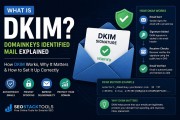
DKIM attaches a cryptographic signature to every outgoing email, generated with a private key only your mail server holds. The receiving server verifies that signature against a public key published in your DNS. If the message was altered in transit—even by one character—the signature breaks.
See What Is DKIM? DomainKeys Identified Mail Explained, or generate your key pair with our free DKIM Record Generator.
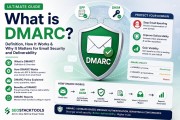
DMARC (Domain-based Message Authentication, Reporting & Conformance)
DMARC ties SPF and DKIM together and tells receiving servers what to do when a message fails both—or fails to align with your visible From address. It also gives you visibility through aggregate reports showing exactly who is sending mail using your domain, legitimately or not.
Full explanation in What Is DMARC? Explained, or build your policy with our free DMARC Record Generator.
Run our free SPF, DKIM & DMARC Checker to confirm all three records are live and correctly configured, or get a full security posture scan with the Email Domain Scanner.
Content Signals: What Spam Filters Read
Authentication proves who you are. Content signals determine whether what you're sending looks legitimate. Spam filters weigh dozens of factors in the message itself:
- Subject line patterns — ALL CAPS, excessive punctuation ("!!!"), and known spam phrasing all raise red flags.
- HTML/plain-text structure — legitimate mail is typically sent as multipart/alternative, with both an HTML and plain-text version. HTML-only messages are treated with more suspicion.
- Link count — an unusually high number of links relative to message length is a common spam signal.
- List-Unsubscribe header — required by Gmail and Yahoo for bulk senders since 2024. Missing it can get bulk mail throttled outright.
- Attachments — raise spam risk unless clearly expected, especially executable or archive file types.
Technical Signals: The Details Filters Also Check
Beyond content, mailbox providers check a set of lower-level technical signals that legitimate mail servers almost always get right, and spoofed or scripted mail often gets wrong:
- Message-ID header — every real mail server generates a unique ID per message. Its absence is a strong spam signal.
- Date header — must be present and reflect an accurate, recent timestamp.
- Character encoding — a declared charset (e.g. UTF-8) avoids rendering issues and signals a properly configured sender.
- IP blacklist status — is your sending IP listed on SpamCop, Barracuda, UCEPROTECT, SORBS, or similar DNSBLs? Check with our free IP Reputation Check.
- Reverse DNS (PTR) — does your sending IP resolve back to a hostname that matches your mail server? Most providers expect this.
Sender Reputation and Blacklists
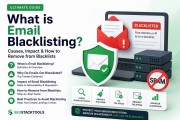
Every signal above feeds into an ongoing reputation score tracked per IP and per domain. High bounce rates, spam complaints, and sudden volume spikes all damage it—and a damaged reputation follows you even after you fix the underlying issue. Learn how this works and how to recover in What Is Email Blacklisting? DNSBL & Sender Reputation Explained.
BIMI: The Payoff for Doing Authentication Right
Once your DMARC policy is enforced (quarantine or reject), you unlock BIMI—Brand Indicators for Message Identification—which displays your verified logo directly next to your emails in supporting inboxes. It's a visible trust signal that rewards the authentication work above. Set it up with our free BIMI Record Generator and confirm it resolves with the BIMI Record Checker.
Fixing Failures When They Happen
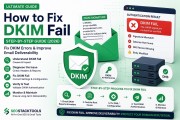
Authentication passes today doesn't mean it passes forever—a new sending provider, a migrated DNS zone, or an expired key can silently break things. When failures do show up, these step-by-step guides walk through the exact fix:
Testing Your Setup
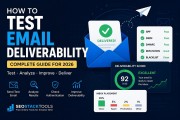
Don't guess—test. Our full walkthrough, How to Test Email Deliverability, covers four different testing methods. The fastest is sending a real email through our free Email Tester, which returns a live report covering every signal in this guide. Already have an email you want to inspect instead of sending a new one? Paste its headers into the Email Header Analyzer for the same checks plus a hop-by-hop delivery timeline.
Quick Reference: Every Free Tool In This Guide
| Tool | Use it for |
|---|---|
| Email Tester | Send a real email, get a full live deliverability report |
| Email Header Analyzer | Paste headers from an email you already have |
| Email Domain Scanner | Full domain security posture scan |
| SPF Record Generator | Build a valid SPF record |
| DKIM Record Generator | Generate a DKIM key pair |
| DMARC Record Generator | Build a DMARC policy record |
| SPF, DKIM & DMARC Checker | Verify all three at once |
| DMARC Report Analyzer | Read incoming aggregate DMARC reports |
| IP Reputation Check | Check a sending IP against major blacklists |
| BIMI Record Generator | Set up your verified logo in inboxes |
Master these fundamentals and email deliverability stops being a mystery—it becomes a checklist. Start with authentication, verify with our free tools, and test before every major send.
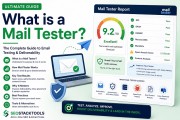
New to the terminology? Read What Is a Mail Tester? Free Email Spam Score Checker for a plain-English breakdown of how mail testers, mailtesters and email spam checkers actually work.
Try it yourself: Use our free Email Domain Scanner →
What's your reaction?
Written by
JayDev is an independent developer who builds and maintains SEO Stack Tools. Tool descriptions and blog content are drafted with AI assistance, then reviewed and edited by JayDev for accuracy before publishing. Questions or corrections go straight through the Contact page.