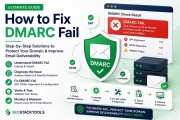
DMARC (Domain-based Message Authentication, Reporting & Conformance) is the final piece of the email authentication puzzle. It tells receiving mail servers what to do with emails that fail SPF or DKIM checks—monitor, quarantine, or reject—and provides detailed reports about who is sending email on your behalf.
⚡ Quick DMARC Setup
Build a valid DMARC record instantly with our DMARC Record Generator. Start monitoring today—no signup required.
What Exactly is DMARC?
DMARC (Domain-based Message Authentication, Reporting & Conformance) is an email authentication protocol that builds on SPF and DKIM. It serves two primary purposes:
- Policy Enforcement: It gives domain owners a way to tell receiving mail servers what to do with emails that fail both SPF and DKIM checks. You can instruct them to do nothing (monitor), quarantine (send to spam), or reject (bounce) the message.
- Reporting: It provides a mechanism for receiving servers to send you detailed reports about email traffic claiming to be from your domain, including who is sending on your behalf and whether their emails are passing authentication.
Think of DMARC as the final checkpoint at a secure facility. SPF and DKIM are the security guards checking IDs, but DMARC is the security manager who issues the final order: "Let them in," "Put them in a holding area," or "Turn them away," all while keeping a detailed log of everyone who tried to enter.
Why is DMARC Critical for Your Business?
DMARC is arguably the most important email authentication protocol for protecting your brand and customers. Here's why:
- Prevents Spoofing and Phishing: DMARC is the most effective tool to stop attackers from using your domain in email scams (CEO fraud, invoice fraud, credential theft). Without DMARC, anyone can send emails that appear to come from your domain.
- Provides Full Visibility: The reporting feature gives you complete visibility into your email ecosystem. You can see which services are legitimately sending mail and which are malicious. This is invaluable for auditing your email infrastructure.
- Improves Deliverability: Implementing a strict DMARC policy (p=quarantine or p=reject) is a strong signal to mailbox providers like Gmail and Yahoo that you take email security seriously. This can positively impact your inbox placement rates.
- Enables BIMI: A strict DMARC policy (p=quarantine or p=reject at pct=100) is a prerequisite for displaying your brand logo via BIMI (Brand Indicators for Message Identification) in supported email clients like Gmail.
- Protects Your Customers: By preventing attackers from impersonating your domain, you protect your customers from falling victim to phishing attacks that could compromise their data or finances.
How Does DMARC Work? (A Step-by-Step Look)
DMARC builds upon SPF and DKIM. Here's the complete flow:
- Publish a DMARC Record: You create a DMARC TXT record and publish it in your DNS at
_dmarc.yourdomain.com. This record defines your policy (p=none, p=quarantine, or p=reject) and reporting preferences (rua and ruf addresses). - Email is Sent: A server sends an email claiming to be from your domain. The receiving server performs its SPF and DKIM checks as usual.
- DMARC Evaluation: The receiving server then evaluates the results of those checks against the policy in your DMARC record. The key is alignment: the domain in the "From" header must align with the domain that passed SPF or DKIM.
- SPF Alignment: The domain in the "From" header must match the domain in the "MAIL FROM" envelope (or be a subdomain, if relaxed alignment is used).
- DKIM Alignment: The domain in the "From" header must match the domain in the DKIM signature's "d=" tag (or be a subdomain, if relaxed alignment is used).
- Policy is Applied: Based on the results, the receiving server applies your DMARC policy:
- Pass: The email authenticates (SPF or DKIM passes and is aligned). The email is delivered normally.
- Fail: Neither SPF nor DKIM passes in alignment. The receiving server applies your DMARC policy:
- p=none: No action is taken. The email is delivered normally, but a report is generated.
- p=quarantine: The email is sent to the spam folder.
- p=reject: The email is rejected outright (bounced).
- Reports are Sent: If you specified reporting addresses in your DMARC record, receiving servers will send you aggregate reports (RUA) summarizing authentication results and forensic reports (RUF) with detailed per-message failures.
Understanding DMARC Policies: p=none, p=quarantine, and p=reject
Your DMARC policy (the p= tag) is the most critical part of your record. Here's what each policy means:
p=none(Monitor): This is the starting point for most organizations. It tells receiving servers to take no action against failing emails. Emails are delivered normally, but you will receive reports. This allows you to see who is sending email on your behalf without risking blocking legitimate mail.p=quarantine(Spam): Failing emails are sent to the spam/junk folder. This is the next step after you've reviewed your reports and confirmed all legitimate senders pass authentication. It provides protection while still allowing you to recover any false positives.p=reject(Bounce): Failing emails are rejected outright. The sending server gets a bounce message, and the email never reaches the recipient. This is the final, strongest policy. It provides maximum protection but requires confidence that no legitimate email will fail authentication.
DMARC Tags: A Complete Reference
Your DMARC record consists of several tags, each with a specific purpose. Here's a quick reference:
v=DMARC1: Version identifier. Must be exactly this.p=none(orp=quarantineorp=reject): The policy for the main domain.rua=mailto:[email protected]: The email address to receive aggregate reports. Highly recommended.ruf=mailto:[email protected]: The email address to receive forensic (failure) reports. Optional but useful for deep troubleshooting.pct=100: The percentage of failing emails that should have the policy applied. Default is 100. Used for gradual rollouts.aspf=roraspf=s: SPF alignment mode.r= relaxed (subdomains allowed),s= strict (exact match). Default is relaxed.adkim=roradkim=s: DKIM alignment mode.r= relaxed,s= strict. Default is relaxed.sp=none(orsp=quarantineorsp=reject): Policy for subdomains. If not specified, the main policy applies.
Setting Up DMARC for Your Domain (Step-by-Step)
DMARC setup is straightforward but requires careful planning. Here's the complete workflow:
- Ensure SPF and DKIM are Set Up: DMARC relies on SPF and DKIM. If these aren't configured, your DMARC policy will block all your legitimate email. Use our SPF Generator and DKIM Generator first.
- Generate Your DMARC Record: Use our DMARC Record Generator. Start with
p=noneto monitor traffic without affecting delivery. Specify anruaaddress to receive reports. - Add the Record to DNS: Create a new TXT record at
_dmarc.yourdomain.com. Paste the generated value. It will look like:v=DMARC1; p=none; rua=mailto:[email protected]; - Monitor Reports: Over the next 1-2 weeks, collect DMARC reports. Use our DMARC Report Analyzer to interpret them. Identify all legitimate sending sources and ensure they pass authentication.
- Move to p=quarantine: Once you've confirmed all legitimate senders pass, update your DMARC record to
p=quarantine. This sends failures to spam. Monitor for another 1-2 weeks. - Move to p=reject: After confirming quarantine didn't cause any issues, update to
p=rejectfor full protection.
Common DMARC Errors and How to Fix Them
- Alignment Failure: The domain in the "From" header doesn't match the SPF or DKIM domain. Fix: Ensure your SPF and DKIM are configured with the exact domain used in the "From" header. Use relaxed alignment (
aspf=randadkim=r) if you use subdomains. - Missing SPF/DKIM: DMARC can't pass if the underlying checks fail. Fix: Fix SPF and DKIM first using our SPF fix and DKIM fix guides.
- Syntax Errors: A typo in the DNS record breaks everything. Fix: Always verify with the SPF, DKIM & DMARC Checker.
- No Reports Receiving: If you're not receiving reports, check your
ruaaddress is correct and your mail server accepts DMARC reports. Some providers block them by default.
DMARC Best Practices for 2026
- Start with p=none: Always start monitoring before enforcing. This prevents accidentally blocking legitimate email.
- Use aggregate reports (rua): This is how you gain visibility into your email ecosystem. Forensic reports (ruf) are optional and often not supported by major providers.
- Set pct=100 gradually: If you're nervous, start with
pct=10and gradually increase to 100 as you build confidence. - Monitor reports regularly: DMARC reports aren't "set and forget." Check them monthly to identify new legitimate senders or detect unauthorized activity.
- Combine with BIMI: Once you're at
p=quarantineorp=reject, consider adding BIMI to display your brand logo in inboxes.
Frequently Asked Questions
Do I need SPF and DKIM before setting up DMARC?
Yes—DMARC evaluates whether a message passes SPF or DKIM in alignment with your domain. Without at least one of those configured correctly, your own legitimate mail will fail DMARC checks.
Why start with policy "none"?
Policy "none" has no effect on mail delivery—it only enables reporting, so you can see every service sending mail as your domain before you risk blocking anything legitimate. Move to quarantine, then reject, only after reviewing reports.
What's the difference between rua and ruf?
rua (aggregate reports) are periodic summaries showing pass/fail counts by source—most useful day to day. ruf (forensic reports) are per-message failure reports containing message details; support for ruf has declined industry-wide due to privacy concerns.
What does the pct tag do?
pct lets you apply your policy to only a percentage of failing mail, useful for gradually rolling out quarantine or reject instead of switching all at once. Leave it at 100 once you're confident in your setup.
Relaxed vs strict alignment—which should I use?
Relaxed alignment (the default) allows the domain in the From header to be a subdomain of the SPF/DKIM domain. Strict alignment requires an exact match. Relaxed is fine for most setups; strict is for domains needing tighter control.
Conclusion
DMARC is your most powerful defense against email spoofing and phishing. By implementing a DMARC policy, you gain full visibility into your email ecosystem, protect your brand reputation, and significantly improve deliverability. Start with p=none today and work your way to p=reject as you build confidence.
Ready to get started? Generate your DMARC record now—it takes less than 5 minutes.