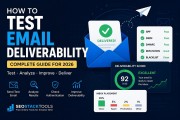
A mail tester (also written as "mailtester" or "email tester") is a free tool that checks whether an email will actually land in the inbox before you send it for real — scanning SPF, DKIM and DMARC authentication, spam-trigger content, and technical headers, then giving you a spam score.
⚡ Quick Test
Want to check a real email right now? Use our free Mail Tester — get a live inbox address, send a real email, and get your deliverability report in seconds. No signup.
What Is a Mail Tester?
A mail tester is a diagnostic tool that receives a real email you send to it, then analyzes exactly what a mailbox provider like Gmail or Outlook would evaluate: whether the sending domain is properly authenticated, whether the content looks like spam, and whether the technical headers are correctly formed.
You'll see this type of tool called several different things depending on where you learned about it — mail tester, mailtester, email tester, and email spam checker are all used interchangeably in practice. They all describe the same category of tool: something that grades a real email's chance of reaching the inbox instead of the spam folder.
The key word is real. A genuine mail tester doesn't simulate anything — it reads the actual headers, actual authentication results, and actual content of a message you send through your real mail server or email service provider (ESP), the same way a receiving mailbox would.
How Does a Mail Tester Work?
Under the hood, most mail testers run through the same checklist mailbox providers use to decide whether an email is trustworthy:
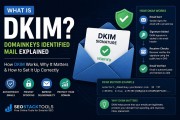
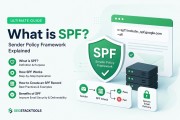
- Authentication (SPF, DKIM, DMARC): Is the sending server authorized in the domain's SPF record? Does the email carry a valid DKIM signature? Does the message align with the domain's DMARC policy? These three checks carry the most weight toward deliverability.
- Spam content signals: ALL CAPS subject lines, excessive punctuation, spam-trigger phrases, and HTML-only emails (no plain-text version) all raise red flags with spam filters.
- Technical headers: A missing Message-ID, missing Date header, or missing character encoding are all signs of a hand-crafted or scripted sender — something spam filters weigh against you.
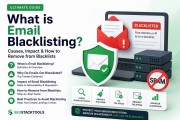
- IP reputation and blacklists: Is the sending IP listed on any spam blacklists (RBLs)? A listed IP is one of the strongest signals that mail will be blocked outright, regardless of how clean the content is.
- Reverse DNS (PTR): Does the sending IP have a matching PTR record? Missing reverse DNS is a common trust signal mailbox providers check.
Each of these feeds into an overall score, usually out of 100, with a letter grade attached — the higher the score, the more likely the email is to land in the primary inbox instead of spam or promotions.
What Counts as a Good Email Spam Score?
Scoring systems vary between tools, but the general bands are consistent:
- 90–100 (Grade A): Strong authentication across SPF, DKIM and DMARC, clean content, no blacklist hits. Very likely to reach the inbox.
- 70–89 (Grade B–C): Mostly healthy, but one or two issues — often a missing DMARC record, a soft-fail SPF, or a missing List-Unsubscribe header. Fixable, and worth fixing before a real send.
- Below 70: Meaningful deliverability risk — a failed authentication check, a blacklisted IP, or spam-pattern content. Emails at this level are likely to be filtered, delayed, or rejected outright.
Authentication failures matter more than content issues. A perfectly written email from an unauthenticated domain is still far more likely to be filtered than a plainly-worded email that passes SPF, DKIM and DMARC cleanly.
How to Test Your Email for Free: Step by Step
- Get a test address. Open our free Mail Tester and click "Get My Test Address" to generate a unique inbox that's valid for about an hour.
- Send a real email to it. Send an actual email to that address from the account or system you want to test — your ESP, your company mail server, Gmail, Outlook, whatever you're planning to use for the real send.
- Send from an external account. Make sure the test email comes from a domain external to the tool itself, not from an account hosted on the same server — mail servers correctly skip re-verifying their own already-authenticated senders, so a same-server test will show blank results.
- Read the report. Within moments, your report fills in with real pass/fail results across authentication, content, and technical checks — not a simulation, but exactly what a receiving mailbox saw.
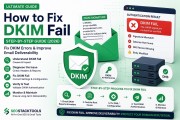
- Fix what's flagged. If SPF or DKIM shows as failed, use the Email Domain Scanner to check your DNS records directly, then regenerate the record with the SPF Generator or DKIM Generator.
Common Mistakes That Hurt Your Score
- No DMARC record. SPF and DKIM alone don't stop spoofing — without DMARC, there's no policy telling receivers what to do when authentication fails.
- Sending HTML-only emails. Emails without a plain-text alternative (
multipart/alternative) are treated with more suspicion by spam filters and are less accessible. - Missing List-Unsubscribe header. Required by Gmail and Yahoo for bulk senders since 2024 — its absence alone can tank deliverability for marketing sends.
- Multiple SPF records. A domain can only have one SPF TXT record; having two causes a PermError and fails authentication for all mail from that domain.
- Ignoring the sending IP's reputation. A clean domain configuration doesn't help if the sending IP itself is on a blacklist — check both.
Mail Tester vs. Email Validator vs. Domain Scanner: What's the Difference?
These tools sound similar but check different things:
- Mail tester / email tester: Tests a real, already-sent email — its headers, authentication results, and content, exactly as a mailbox provider would evaluate it.
- Email validator: Checks whether an email address is correctly formatted and actually exists (valid domain, valid MX records) — useful before you send to a list, not for testing deliverability itself.
- Email domain scanner: Checks a domain's published DNS records — SPF, DKIM, DMARC, BIMI — without needing you to send an email at all. Useful for a quick static check before you ever hit send.
In practice, the domain scanner and the mail tester complement each other: scan your domain's records first, then send a real test email to confirm everything works end to end in the real world.
Frequently Asked Questions
Is "mail tester" the same tool as "email tester"?
Yes. "Mail tester," "mailtester," and "email tester" are different names for the same category of tool — one that checks a real email's authentication, spam signals, and headers to estimate its chance of reaching the inbox.
Is a mail tester result a real test or a simulation?
A genuine mail tester is real, not simulated — you send an actual email to a real inbox, and the report is built from the exact headers and content that arrived, the same signals mailbox providers themselves evaluate.
Why do all my mail tester results show blank instead of pass or fail?
This usually happens when the test email is sent from a mailbox hosted on the same mail server as the testing tool. Mail servers correctly skip re-verifying SPF/DKIM/DMARC for their own already-authenticated senders, so there's nothing to check. Send your test from an external account (Gmail, Outlook, your ESP, or a different domain) to get a real result.
Do I need to fix everything to get a good spam score?
Focus on authentication first — SPF, DKIM and DMARC carry the most weight toward deliverability. Content and header issues matter, but a fully authenticated domain with a minor content flag will still usually outperform an unauthenticated domain with perfect content.
How often should I run a mail tester check?
Before any significant campaign, and any time you change ESPs, add a new sending domain, or update your DNS records. A quick check takes under a minute and catches misconfigurations before they hurt a real send.
Conclusion
Whatever you call it — mail tester, mailtester, email tester, or email spam checker — the goal is the same: catch deliverability problems before a real campaign goes out, not after your open rates quietly collapse. Authentication (SPF, DKIM, DMARC) is the foundation; content and header hygiene are the finishing touches.
Test a real email now — it's free, takes under a minute, and gives you the exact same report a mailbox provider builds when deciding where your email lands.